
Have you come across Pomelli from Google yet? It's a free marketing tool from Google Labs that reads your website, pulls your brand style from it, and then makes complete social posts for you — image, headline, copy and call to action. It's not a finished product but an experiment, and you can tell. Still, it's worth an hour of tinkering, especially if you make your own content and are short on time.
Below: what it is, how it works, what comes out of it, what stage it's in and when it really helps you.
What is Pomelli?
Pomelli is an AI marketing tool from Google Labs, built together with Google DeepMind. Google introduced it as a public experiment at the end of October 2025, initially only in the United States, Canada, Australia and New Zealand. It's now available in many more countries, including the Netherlands. The tool's language, however, is still English.
The idea: many small and medium-sized businesses don't have a designer or a content marketer, but do need posts every week that look like they belong to the brand. Pomelli tries to close that gap by not starting from a blank canvas, but from your website.
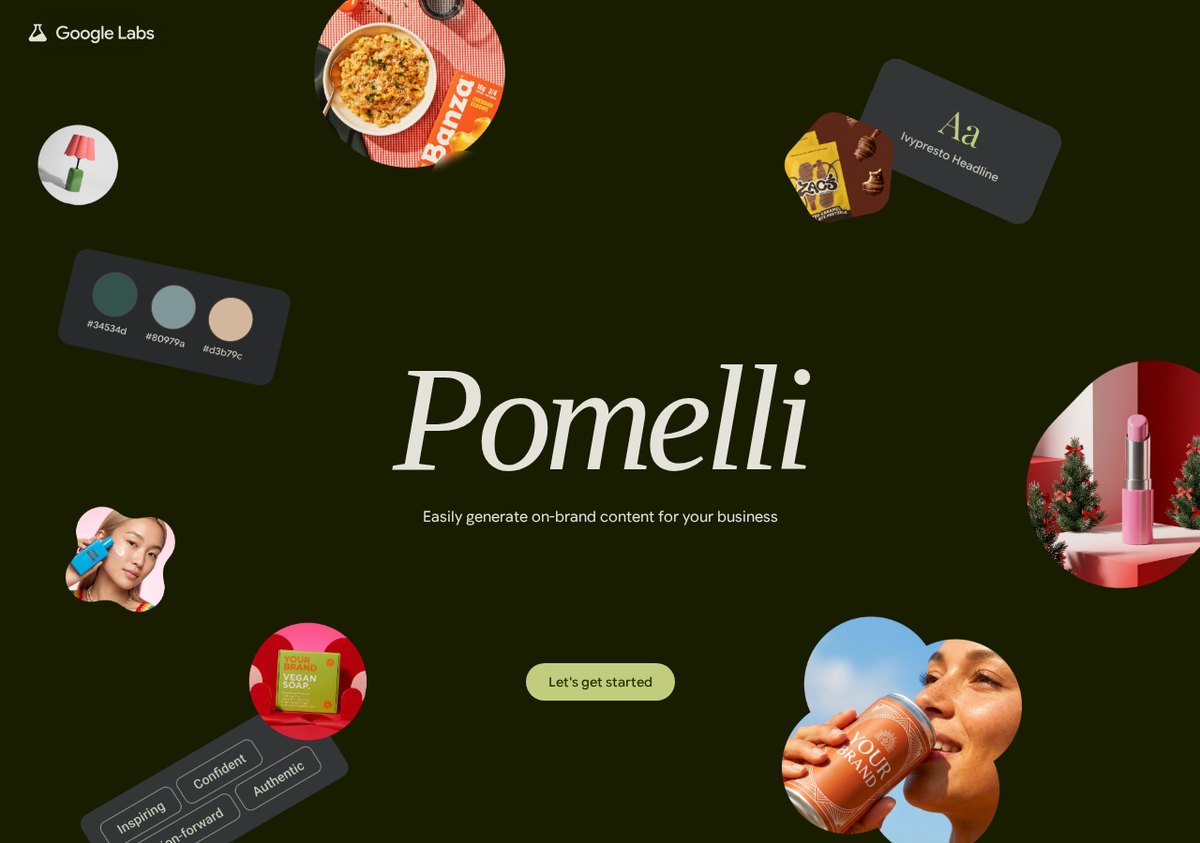
You'll find it at labs.google.com/pomelli. You need a Google account and a website that's publicly accessible.
How it works, in three steps
1. Business DNA from your website
You enter your web address. Pomelli reads the site and the images on it, and turns that into a profile: your logo, your fonts, your colours, your tone of voice, your values and a set of images. That profile is called Business DNA. According to Google's guide, the analysis can take up to eight minutes. If you have a Google Business Profile, it can pull that data in too.
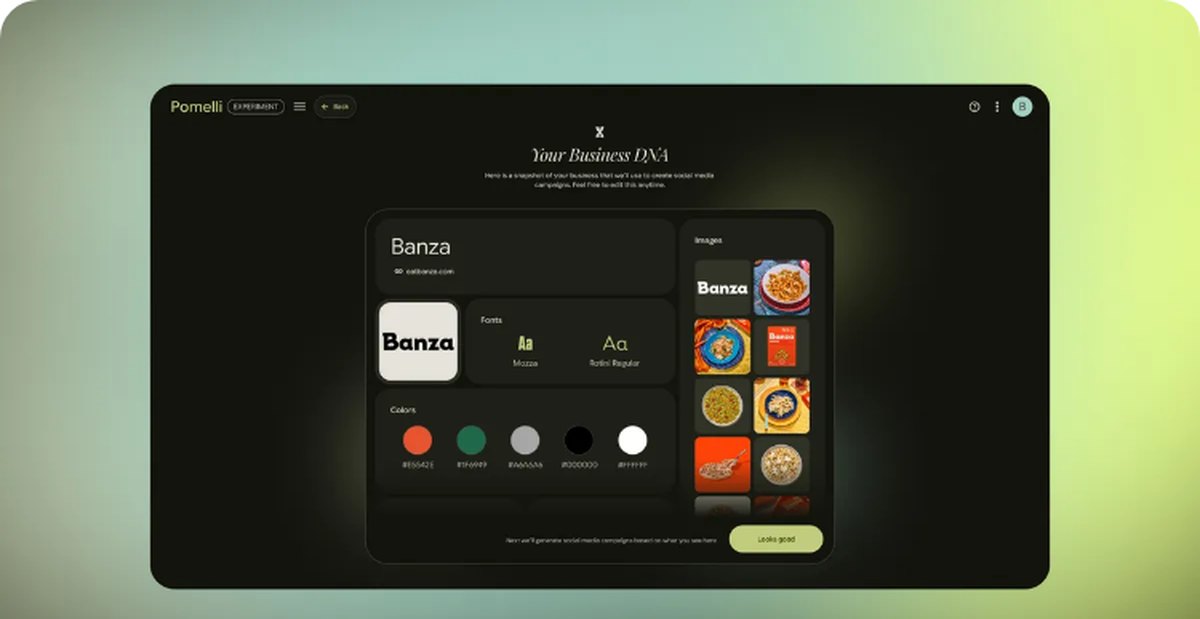
Everything the tool makes afterwards is based on this profile. That's exactly the difference with a generic AI image generator: you don't just get a nice picture, you get something in your colours and with your font. You can adjust the profile yourself — and that's usually needed, since a site also contains colours and images that aren't part of your brand identity.
2. Campaign ideas
Pomelli then suggests campaigns based on that profile. Each campaign is a small concept: an angle, a message and a set of creatives to go with it. You can pick from the suggestions or type your own prompt if you already have an idea. Before it starts generating, you see a short brief that you can adjust.
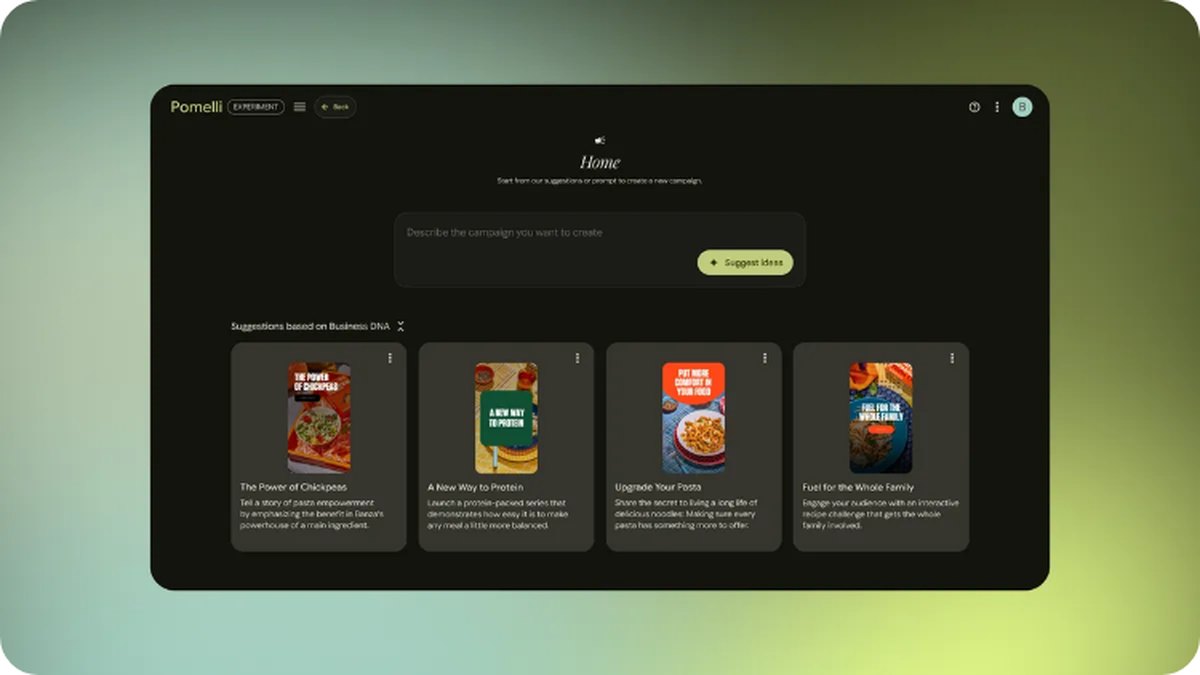
Honestly, this step is the most interesting part. Not because the ideas are brilliant, but because they're concrete. "What should I post about this week" is the real blocker for many business owners, not the making itself.
3. Making and updating creatives
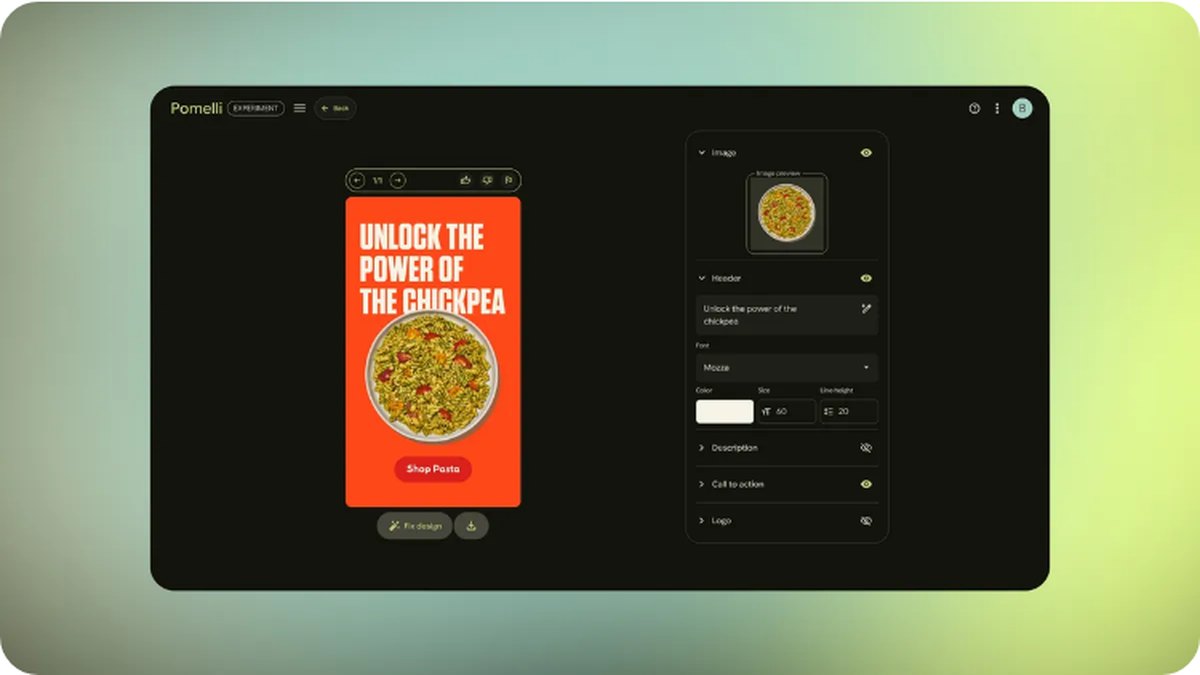
Each campaign produces a set of posts: image with headline, copy and a call to action. You can adjust these within the tool itself — pick or generate a different image, rewrite the copy, adjust typography and colours. There's a "Fix layout" button for when the layout goes off, and in 9:16 you can animate a creative. You then download it and post it yourself on Instagram, TikTok, LinkedIn, Facebook or YouTube. Pomelli doesn't publish for you and doesn't connect to ad accounts.
What stage is it at?
Pomelli is an experiment in Google Labs, and that's not just a formality. In practice, that means:
| Status | Public experiment in Google Labs, launched 28 October 2025 |
| Cost | Free for now; Google mentions a limit of a few hundred image and video generations |
| Language | English only |
| Netherlands | Available, like most European countries |
| Requirements | A Google account (18+) and a public website |
| Google's own warning | Check generated images: AI sometimes alters product details |
Labs experiments can change, become paid, or disappear. So don't build a workflow that collapses without the tool. For this stage, slow generations and images that don't come out right are also par for the course. Google says as much itself.
Two things to watch, beyond the technology. Your product can look slightly different in the image than it really is — wrong colour, a distorted logo, a texture that doesn't exist. For a webshop, that's not a minor detail but potentially misleading. And you can turn on a watermark in the settings that shows an image was made with AI; that's a sensible choice if your brand is built on honesty.
Why it's worth it anyway
Three things make Pomelli better than yet another image generator.
It starts from your brand, not from a prompt. Having your brand style pulled from your site automatically saves most of the fiddling. You don't have to cram colour codes and font names into a prompt.
It solves the idea problem. The campaign suggestions give you a starting point. Even if you reject them all, you'll know better afterwards what you actually want.
It's finished enough to post. Image, headline, copy and call to action in one file, in the right format. That's a different kind of output than a standalone image you still have to add text to yourself.
And what it doesn't cover: strategy, positioning, an offer that stacks up, and the question of whether this channel does anything for you at all. A tool that quickly makes attractive posts also makes bad choices visible faster.
When is this something for you?
It's a good fit if you handle your own social media, have a clear brand identity on your site, and are mainly short on speed and consistency. Also handy if you want to see a few visual options quickly before briefing a designer.
It's less of a fit if you have a strict brand book with rules that can't be deviated from, if you want to work in Dutch without checking everything, or if your product photos need to be exactly right. In that case, this is at best a sketchpad.
Curious what does fit you? Want to talk through how to set up your content and advertising smartly — with or without tools like this? In a free strategy session we'll look at your situation together and what really makes a difference.
Questions, or just want to spar?
We're happy to think along — call, email or drop by in the heart of Eindhoven.