
Have you come across Google Flow yet? It's Google's video tool that lets you make cinematic clips — including sound — from text, a few reference images and some patience. Flow started in May 2025 as an "AI filmmaking tool" for Veo, and has since grown into what Google itself calls an AI creative studio: a workspace where you bring together image, video and your own little tools.
Below: what it is, how it works, what it costs, what stage it's in and when it really helps you.
What is Google Flow?
Flow is built around Google's generative models: Veo for video, Nano Banana for images and Gemini for understanding your request. You don't work with a timeline like in an editing program, but with prompts, reference images and clips that you grow into one another.
The difference with a standalone video generator lies in the consistency. You can lock in a character, an object or a style as an "ingredient" and have it recur across multiple clips. That makes two shots feel like they belong together, rather than being two separate AI clips.
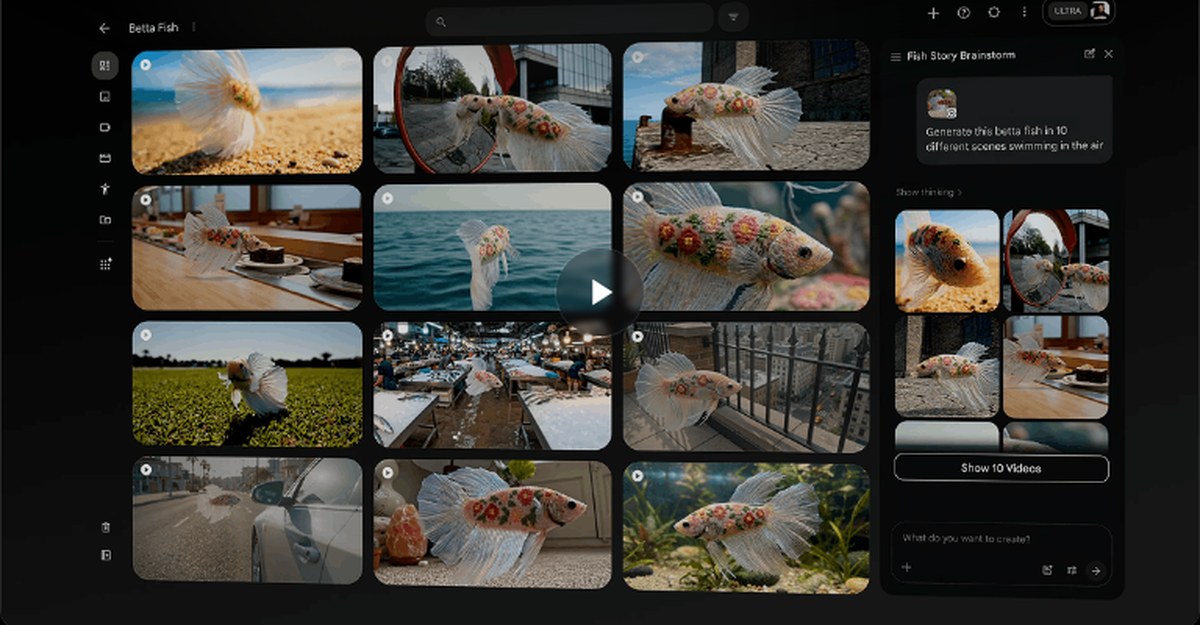
You'll find it at flow.google.com. You need a Google account, you must be 18 or older, and Google recommends a Chromium-based browser, such as Chrome.
How it works
1. Planning with the agent
Flow includes an agent that thinks along with you: you explain in plain language what you have in mind, and it helps you work it out into shots and variations. That's more pleasant than starting from zero, because with video you don't need a single image, you need a sequence that logically follows on.
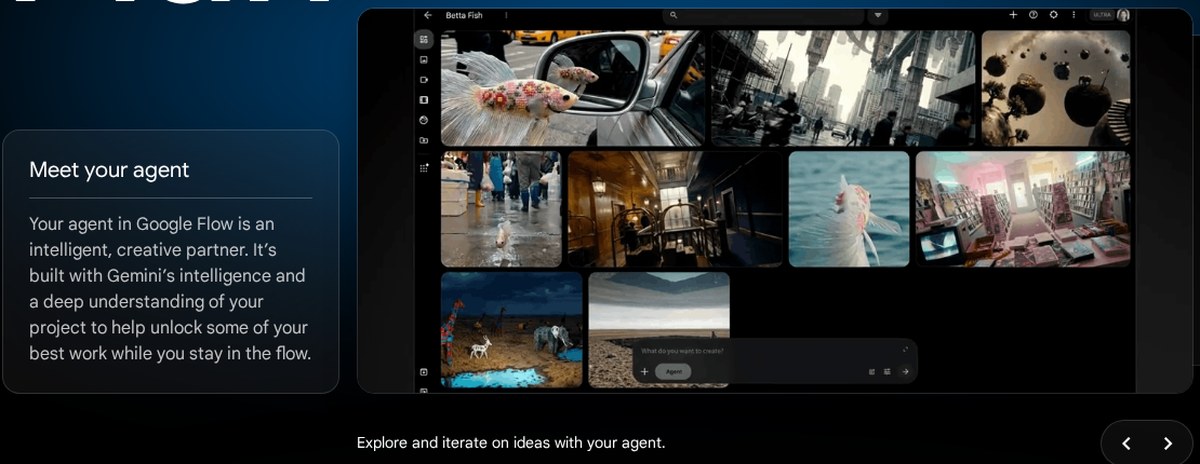
2. Creating: from text, image or video
Flow has a few ways to start a clip, and they determine how much control you have:
| Method | What you provide | What it's good for |
|---|---|---|
| Text to Video | Just a description | Trying something out quickly |
| Frames to Video | A starting image, optionally also an end image | A transition that needs to land somewhere precise |
| Ingredients to Video | Multiple reference images | Keeping the same character, object or style |
| Extend | An existing clip | Making a shot run longer |
For each generation, you choose the model, aspect ratio and length. The clips are short — a few seconds each — and you build a scene by extending them and joining them together. Scenebuilder is designed for those extended shots: continuous motion and characters that stay the same.
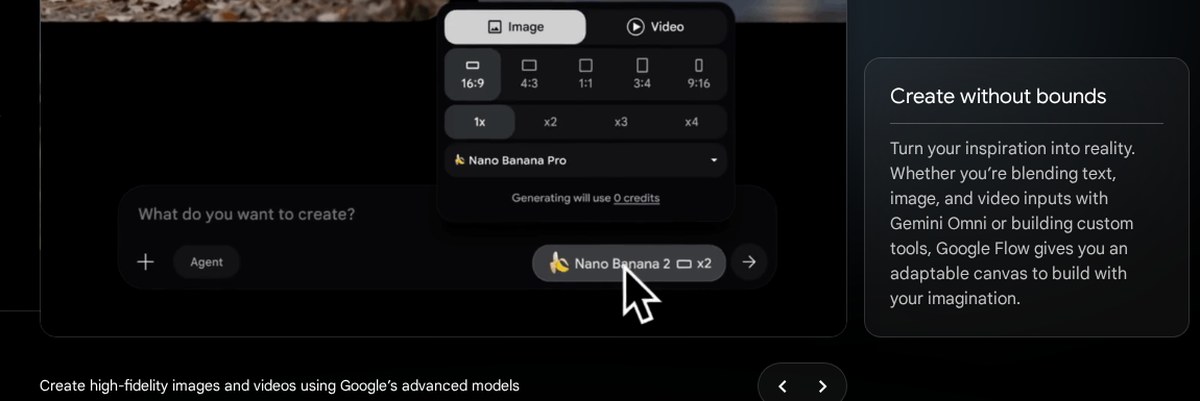
3. Updating in plain language
What comes out is rarely right straight away. That's why you can update in Flow with an instruction in plain language: remove something, add something, carry a style across the whole set. Since the Veo 3.1 update in October 2025, that also includes sound — even for clips you make from reference images or from a start and end image.
Custom tools
A part that few people know about: you can build small tools yourself in Flow by describing what they should do, and use or adapt tools made by others. Google provides several itself, from animated text overlays for your video to a resizer for other aspect ratios and a storyboard tool.
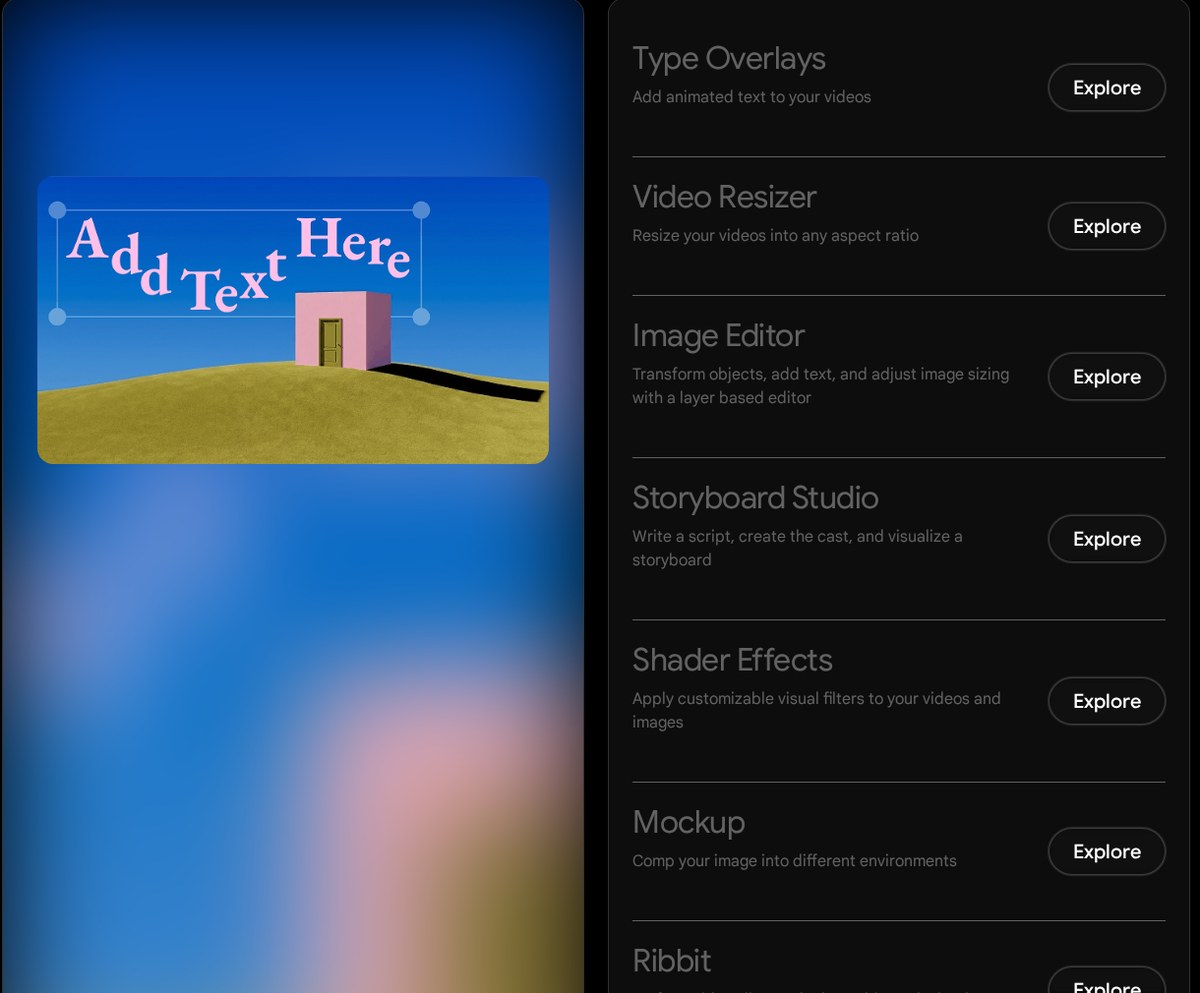
For marketing work, that's more interesting than it sounds. Turning one video into four formats and putting different text over each channel's version is exactly the kind of task that takes a lot of time and delivers little.
What it costs
Generating runs on credits, and how much a clip costs depends on the model you choose. The base is the same for everyone: with a Google account you get 50 credits per day to try it out. A subscription adds monthly credits on top of that.
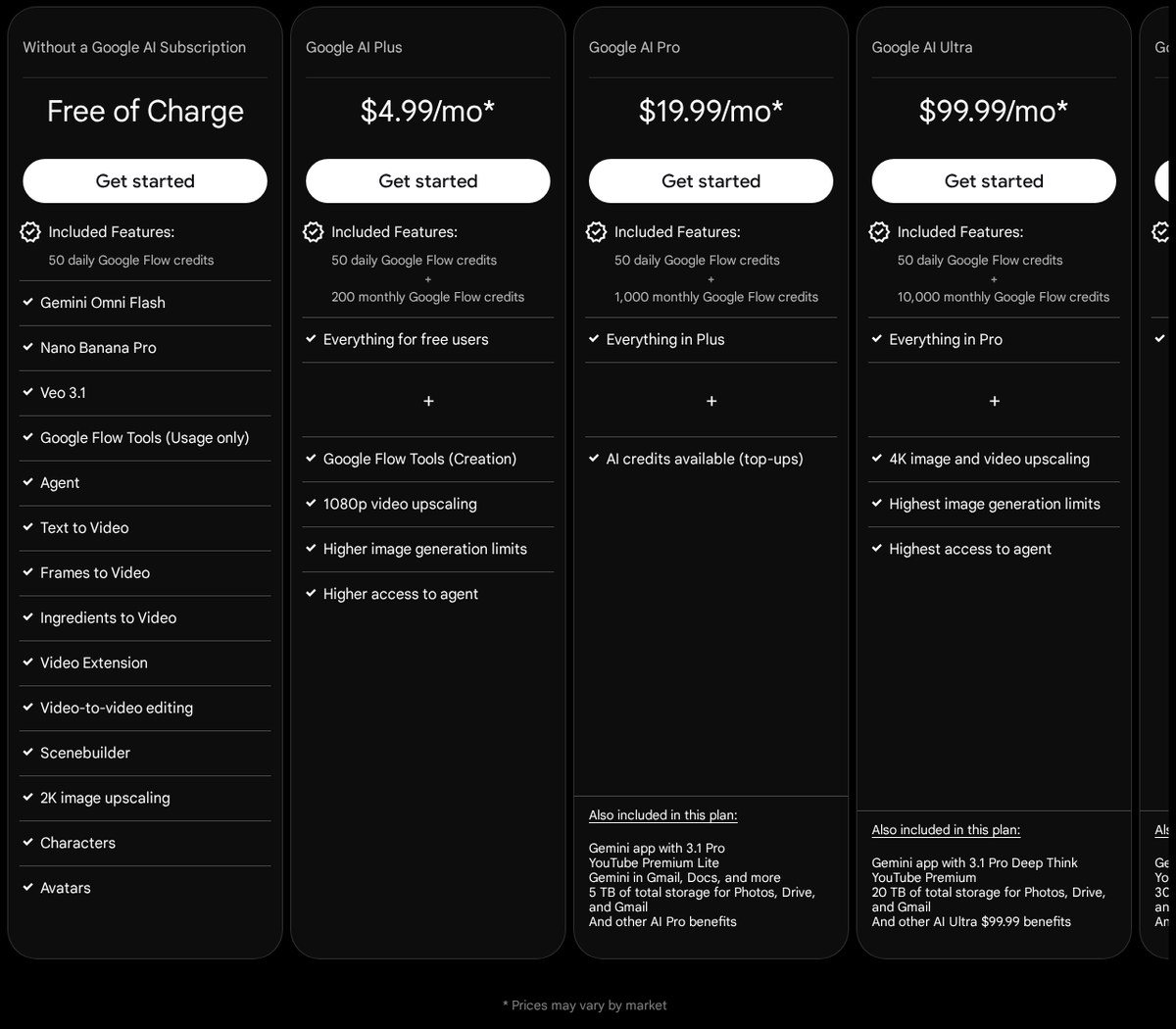
| Tier | What you get |
|---|---|
| No subscription | 50 credits per day |
| Google AI Plus | 50 per day plus 200 per month |
| Google AI Pro | 50 per day plus 1,000 per month |
| Google AI Ultra | 50 per day plus 10,000 or 25,000 per month, depending on the package |
The amounts Google quotes differ by market; check Flow's pricing page for your own situation. A few things are only available in the paid tiers, such as building your own tools and upscaling videos to higher resolution. Anyone on a business Google Workspace package reportedly gets the 50 daily credits at no extra cost, according to Google.
Important to know: credits are used up as soon as you use them, even if you discard the clip. If you prompt without a plan, you can burn through a month's budget in an afternoon.
What stage is it at?
Flow is no longer an experiment the way it was at launch, but it's still developing fast. Google reported in October 2025 that more than 275 million videos had been made in Flow, and it still describes some of the features as experimental.
What that means if you want to use it for business:
- Not everything is possible in every model. Which features work depends on the model you choose. Extending, for example, isn't available everywhere.
- It keeps shifting. Models, names and credits change. Don't build a workflow that collapses the moment Google adjusts something.
- The language is English, and availability depends on your country and your subscription. Google keeps a list of this.
- You get separate clips. Flow doesn't publish anything for you and doesn't produce a ready-made campaign. Editing, subtitling and posting are up to you.
Why it's worth it anyway
Three things make Flow more than a toy.
You can hold something constant. By supplying characters, objects and styles as references, you get imagery that belongs together. That's the difference between a fun clip and something that fits your brand.
Sound is included. Video without sound falls flat on social channels. Having Veo generate it itself removes a step people normally get stuck on.
It makes trying things out cheap. Visualising an idea before bringing in a film crew or animator is often the fastest way to see whether the idea actually holds up. For us, that's the most practical use: Flow for the sketch, people for the real work.
What it doesn't cover: the question of what you should say, to whom, and on which channel. Making attractive footage quickly doesn't help if the message is wrong — it just shows you faster that it isn't working.
When is this something for you?
It's a good fit if you regularly need short videos, want to vary by channel and like being hands-on yourself. Also useful if you want to show an idea before committing budget to it.
It's less of a fit if you need to show recognisable people, real locations or products exactly as they are, if you make long videos with a tight narrative, or if you want to work in Dutch without checking everything. And bear in mind that your audience is getting better at spotting when something is AI-made: use it where it fits, not everywhere.
Want to talk through how to set up your video, content and advertising smartly — with or without tools like this? In a free strategy session we'll look at your situation together and what really makes a difference.
Questions, or just want to spar?
We're happy to think along — call, email or drop by in the heart of Eindhoven.